Do Pinterest Accounts Need a Warm-Up Before Marketing? What the Evidence Says
Should you warm up a new or dormant Pinterest account before going all-in on marketing? We break down Pinterest's official policies, spam detection signals, and a practical 30-day warm-up schedule.


You just created a fresh Pinterest business account for your brand. You have 50 product images ready, a scheduling tool loaded up, and a plan to pin aggressively from day one. What could go wrong?
Potentially a lot. Many marketers have watched new accounts get flagged as spam, hit with rate-limit blocks, or see their pins vanish from search results — all within the first week.
The concept of "warming up" a social media account isn't new. Email marketers have done it for years. But does Pinterest actually need it?
The short answer: Pinterest doesn't require a warm-up period, but the platform's own documented enforcement systems make a structured warm-up one of the smartest things you can do before scaling your marketing efforts.
Let's look at the evidence and build a practical plan.
What "Warming Up" Actually Means on Pinterest
On any social platform, warming up means ramping activity gradually instead of going from zero to a hundred overnight. The goals are simple:
- Avoid anti-spam triggers — Automated systems flag accounts that behave like bots: rapid-fire actions, duplicated content, repetitive patterns
- Build topical signals — Give the platform enough data to understand what your account is about so it can distribute your content to the right people
On Pinterest specifically, this is shaped by two realities:
Pinterest is a visual search engine, not a social feed. Content gets distributed based on engagement signals, topics, and relevance — not chronological posting. A Pin can resurface months after you publish it. This means the platform needs time to classify your content and your account. (For a deeper look at how the algorithm works in practice, see our breakdown of Pinterest and Etsy in 2026.)
Saves are Pinterest's strongest engagement signal. Pinterest highlights saves as a key indicator of meaningful engagement. Early on, your account has zero history. Pinterest doesn't know if your content is valuable or if you're a spam operation uploading junk. A warm-up builds that trust.
The Evidence: Why Warm-Up Makes Sense on Pinterest
Pinterest doesn't publish a "warm up your account" policy. But it does publish multiple mechanisms that make warm-up behavior rational.
Rate-Limit Blocks Are Real and Documented
Pinterest explicitly states that a "rate limit block" is a temporary block applied when an account repeats the same action too many times in a short period. The platform lists specific triggers:
- Frequent logins
- Very fast commenting
- Repeating the same comment
- Following many people quickly
- Saving many Pins from the same website quickly
Pinterest's advice? Vary your actions and wait. Most limits lift automatically within 24 hours. This is the clearest official evidence that gradualism and action variety — the core of a warm-up — reduce friction.
Pinterest Can Limit Your Distribution Without Telling You
Pinterest's enforcement framework includes two distinct actions:
- Deactivation — Content or accounts are removed entirely
- Limiting distribution — Content remains accessible via direct link but is not featured in discovery surfaces like search results or the home feed
That second one is what creators often call a "shadowban." Pinterest doesn't use that term, but the effect is the same: your pins exist, but nobody sees them. This can happen silently if automated systems flag your behavior as suspicious.
Duplicate Content Gets You Flagged
Pinterest's business help documentation explicitly warns against:
- Repeatedly saving the same Pins
- Uploading content that already exists on Pinterest
Do either of these and your account may be flagged as spam and temporarily blocked from creating Pins. This directly targets common "launch day" marketing behavior — bulk uploading similar creatives or repeatedly pinning the same URL. (This is one of the most common Pinterest marketing mistakes we see.)
Spam Enforcement Is Largely Automated
Pinterest's transparency reports show that spam enforcement is entirely automated in reported periods. Machine learning models assign scores to content and determine enforcement actions.
What does this mean for you? There's no human reviewing your new account. An algorithm is making snap judgments based on behavioral patterns. If your patterns resemble spam — bursty activity, repetitive actions, lots of same-domain links — the system may act first and ask questions never.
Pinterest has even publicly acknowledged "over-enforcement" errors. The Verge reported Pinterest admitted to an "internal error" leading to mistaken deactivations during a wave of account bans in 2025.
Account Age and IP Signals Factor Into Detection
Pinterest Engineering has publicly described spam-fighting systems that use signals including:
- Account age
- IP address
- Geolocation
- Device characteristics
New accounts + aggressive early activity + unfamiliar IP patterns = a profile that looks a lot like a spam operation, even when you're a legitimate marketer.
When Warm-Up Matters Most
Not every Pinterest account needs the same level of caution. Here's who benefits most from a structured warm-up.
New Accounts for Marketing
This is the highest-risk scenario. You have:
- Zero behavioral history — Pinterest has no evidence you're a real, valuable creator
- No topical signals — The algorithm doesn't know what your content is about yet
- Maximum anti-abuse sensitivity — Pinterest's detection systems treat new accounts with less trust
A warm-up helps on both fronts: it reduces spam-pattern triggers while building the topical and engagement signals Pinterest needs to distribute your content.
Dormant Accounts Returning to Activity
If your account has been sitting idle for months, the same principles apply. A sudden burst of activity from a previously inactive account can trigger rate-limit blocks. Repetitive or duplicate pinning can contribute to spam flags. And if you're logging in from a different location or device than before, Pinterest may flag "unusual activity" and lock things down.
Accounts Using Scheduling Tools, Bulk Upload, or API
Automation is fine on Pinterest — the platform supports scheduling and bulk upload natively. But "too much too fast" through any tool can resemble bot behavior. Pinterest publishes API rate limits (5,000 calls per minute per ad account) and its developer guidelines explicitly prohibit attempts to circumvent rate limits or abuse-prevention systems.
If your warm-up plan includes schedulers, RSS automation, or API-based publishing, you need to throttle early activity regardless of the tool.
Multiple Account Setups
Pinterest's spam detection looks for clusters — groups of accounts sharing signals like IP addresses, domains, or link patterns. Running multiple new accounts from the same network is a textbook spam pattern, even if your intentions are completely legitimate.
What Triggers Pinterest's Spam Detection (Actions to Avoid)
Based on Pinterest's documented policies and engineering descriptions, here are the specific behaviors most likely to cause problems:
| Action | Why It's Risky |
|---|---|
| Following dozens of accounts rapidly | Explicitly listed as a rate-limit trigger |
| Commenting the same thing on multiple Pins | Explicitly listed as a rate-limit trigger |
| Saving many Pins from the same website quickly | Explicitly listed as a rate-limit trigger |
| Uploading duplicate images or Pins | Can flag your account as spam and block Pin creation |
| Pinning the same URL repeatedly | Resembles link-spam patterns |
| Frequent logins from different locations | Triggers Pinterest's account security protections |
| Burst activity followed by silence | Inconsistent patterns look automated |
| Many new accounts from the same IP | Resembles spam cluster behavior |
The pattern is clear: repetitive, rapid, concentrated actions are the enemy. Variety, pacing, and consistency are your friends.
What Happens When You Skip the Warm-Up: Real Stories
The evidence above comes from Pinterest's official documentation. But what does it look like in practice? Here are real experiences shared by Pinterest users that illustrate why warm-up matters. These are self-reported accounts — not platform-confirmed — but they align closely with Pinterest's documented enforcement mechanisms.
Suspended within a minute of creating an account over VPN
A Reddit user reported a brand-new account being suspended for "spam" within roughly a minute of creation. In the same thread, another user described getting stuck during signup, reloading the page, then being logged out and receiving a suspension email — they noted they had created the account over a VPN. The appeal link in the email returned a 401 error.
Takeaway: Pinterest flags "strange activity" including logins from unusual locations. Combining a new account with a VPN puts you in a high-risk category from the very first second.
Five scheduled Pins on a new business account — suspended
In a Pinterest Business Community post, a user described receiving a suspension email shortly after starting on the platform. Their total activity: five self-created Pins posted via Tailwind, a URL correction on one Pin, and saving a few other users' Pins. A community member later checked the account and found it active again — but the user went through days of confusing appeal responses before getting there.
Takeaway: Even modest activity from a new account using a scheduling tool can trigger spam detection. Five Pins isn't "high volume" by any measure, but the newness of the account plus automated posting was apparently enough.
First Pin with a destination link — domain blocked as spam
A user in the Pinterest Business Community described creating a new account for a home decor site. They completed the tag installation, verified their domain, and then tried to create their first Pin with a destination link. Immediately blocked: "We blocked this link because it may lead to spam." Repeated appeals were denied with automated responses. Other community members suggested the combination of a brand-new account and a new domain likely triggered conservative filtering, and recommended creating some Pins without links first, completing boards, and re-verifying the domain.
Takeaway: New account + new domain + first action being a link = maximum suspicion. A warm-up period where you establish activity and topical signals before linking out can help you clear this hurdle.
Impressions drop to zero — Pinterest confirms "bug in our spam blocker"
A creator in the Pinterest Business Community reported impressions collapsing to zero across all Pins, with content no longer appearing in search. After contacting support, they received an email stating that a bug in the spam blocker was mistakenly flagging safe content. The representative confirmed their domain had been wrongly flagged. Impressions returned to normal about seven days after the block was removed. The same issue hit a second account they managed.
Takeaway: False positives happen — even Pinterest acknowledges it. A warm-up won't prevent every false flag, but it reduces the behavioral signals that make automated systems suspicious in the first place. And if you do get hit, having a clean activity history strengthens your appeal.
Affiliate links trigger suspension — restored after appeal
A small business owner shared that their account was suspended for spam shortly after adding Amazon affiliate links in a "tagged products" area. To make things worse, the appeal form auto-submitted before they could type an explanation, and the appeal was denied the next day. After community staff provided a direct support link, the account was eventually reactivated.
Takeaway: Specific content changes — especially adding affiliate or monetized links — can trigger spam detection on accounts that were previously fine. Introduce new link types gradually rather than bulk-adding them, and test with a small number first.
30-Day Warm-Up Schedule for New Accounts
Pinterest doesn't publish official "safe counts," so treat these numbers as conservative pacing designed to stay well clear of rate-limit and spam-pattern triggers. The goal is to establish legitimacy and build topical signals before scaling up.
Days 1–2: Foundation
- Publishing: 0–1 original Pins (optional)
- Engagement: Browse your niche. Save a small number of relevant Pins to your boards. Don't mass-follow anyone
- Setup: Complete your profile — photo, About section, website link. Convert to a business account if you're using this for marketing. Create 3–5 boards with clear, keyword-rich titles and descriptions (need inspiration? Browse our 500+ Pinterest board name ideas)
Goal: Establish a legitimate-looking account with clear topical intent. No bursts.
Days 3–7: First Signals
- Publishing: 3–5 original Pins total across the week (not necessarily daily)
- Engagement: Light saves and repins. Follow only a few highly relevant accounts
- Setup: Claim your website if applicable. Ensure consistent branding across profile, boards, and pins
Goal: Avoid duplication. Start giving Pinterest consistent signals about your niche.
Days 8–14: Steady Cadence
- Publishing: 1 original Pin per day (or 5–7 per week), spaced throughout the day
- Engagement: Continue modest curation. 1–2 comments maximum, and only if genuinely relevant
- Setup: Begin basic keyword optimization in Pin titles and descriptions. Test your scheduling tool at low volume
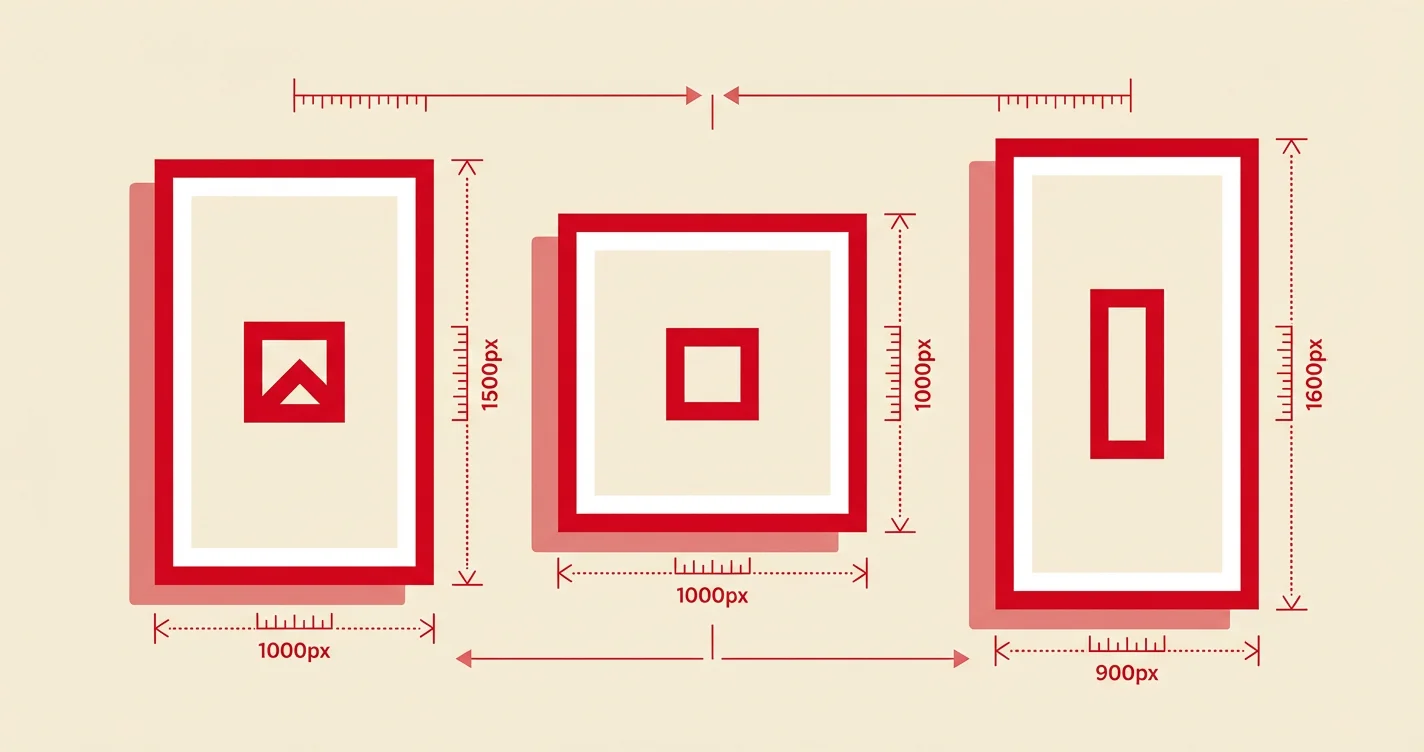
Goal: Establish a regular cadence while steering clear of repeat-action blocks. Make sure every Pin uses the right image dimensions so nothing gets cropped or deprioritized.
Days 15–21: Gradual Expansion
- Publishing: 1–3 original Pins per day depending on asset quality
- Engagement: Keep engagement human-scaled and varied
- Setup: If planning ads: create your advertiser account, set up billing, install the Pinterest tag or Conversions API
Goal: Expand output cautiously. Begin paid-readiness setup if needed.
Days 22–30: Transition to Normal Operations
- Publishing: 2–5 original Pins per day if performance is stable (no blocks, no warnings)
- Engagement: Maintain light curation. Continue avoiding mass follow/comment activity
- Setup: If scheduling, spread posts across days and times. Avoid bulk dumps
Goal: Transition from warm-up to your sustainable long-term publishing cadence with ongoing monitoring.
30-Day Warm-Up Schedule for Dormant Accounts
Reactivating a dormant account requires the same caution, with an extra emphasis on auditing what happened while you were away.
Days 1–3: Audit and Reset
- Publishing: Pause or 0–1 Pin per day
- Engagement: Light browsing only — no aggressive activity
- Maintenance: Check for any violations or removed content. Refresh your profile and boards. Remove outdated or off-brand content
Goal: Reduce risk of immediately retriggering any existing filters. Get the house in order.
Days 4–7: Gentle Restart
- Publishing: 2–4 original Pins total across the week
- Engagement: Light saves. Avoid mass actions
- Maintenance: Fix broken destination URLs. Confirm your claimed domain is still connected
Goal: Reintroduce consistent posting without spikes.
Days 8–14: Monitor Distribution
- Publishing: 1 Pin per day
- Engagement: Moderate, varied activity
- Maintenance: Use Pinterest Analytics to confirm impressions are returning across your Pins (not just one or two)
Goal: Detect whether your distribution is normal or limited. If impressions are near-zero across all new content, something may be wrong.
Days 15–21: Scale If Stable
- Publishing: 1–3 Pins per day
- Engagement: Keep engagement modest
- Maintenance: If running ads, verify billing and tag setup. Start with a small test campaign
Goal: Scale only if everything looks stable and compliant.
Days 22–30: Resume Normal Operations
- Publishing: Resume your sustainable long-term cadence
- Engagement: Maintain human-like variation
- Maintenance: Document what correlates with drops or blocks so you can troubleshoot faster in the future
Organic vs. Paid: What Changes About Warm-Up?
For Organic Distribution
The warm-up priorities are:
- Topical clarity — Well-organized boards with clear names and descriptions help Pinterest route your content to the right search results
- Original, non-duplicate content — Pinterest warns against uploading content that already exists or repeatedly saving the same Pins
- Monitoring for distribution limits — Watch for sudden cross-account impression drops, which could indicate Pinterest is limiting your distribution
Pinterest's creator guidance says quality and relevance matter more than frequency, with weekly posting described as a reasonable baseline.
For Paid Ads
Warm-up is less about "teaching the algorithm you're real" and more about establishing a compliant advertiser footprint:
- Create your advertiser account and set up billing correctly before attempting to run ads
- Install conversion tracking (Pinterest tag or Conversions API) so the system can optimize
- Ramp spend gradually — Advertiser history of policy compliance can influence how ads are reviewed and approved
- Expect ad review delays — Pinterest states ad reviews can take up to 24 hours, and edits can trigger re-review
Pinterest also distinguishes advertiser enforcement from organic enforcement. An advertiser can lose access to advertising tools specifically (without losing their general Pinterest account), and advertisers are held to higher standards than organic creators.
Technical Factors That Affect Your Warm-Up
VPNs, Proxies, and IP Changes
Pinterest states it may "protect your account" (reset password, log everyone out) if it notices:
- Logins from unusual locations
- Many logins in a short time
- Spammy behavior
If you're using a VPN or frequently switching networks, this is an additional risk factor during warm-up. Pinterest Engineering's descriptions of spam detection confirm that IP and geolocation are among the signals used. Stick to a consistent connection during your first few weeks.
Multiple Accounts
Pinterest's spam detection looks for clusters of accounts sharing signals. Running several new accounts from the same IP, linking to the same domains, or following similar patterns is exactly what spam networks look like. If you legitimately manage multiple accounts, use consistent but distinct setups and don't warm them all up simultaneously with identical behavior.
API and Automation Rate Limits
Pinterest enforces API rate limits (documented at 5,000 requests per minute per ad account). Exceeding these returns 429 rate-limit responses. The developer guidelines explicitly prohibit circumventing rate limits or abuse-prevention systems.
If your marketing stack includes API-based tools, make sure they're respecting these limits — especially during the warm-up period when your account has minimal trust.
How to Know When You're "Warmed Up"
There's no official green light from Pinterest. Instead, look for these operational signals:
You're ready to scale when:
- You've published steadily for 14+ consecutive days without rate-limit blocks or spam warnings
- Your Pins appear in search results and home feeds for relevant keywords (basic distribution confirmation)
- Impressions and engaged audience trend upward or stabilize over 2–4 weeks rather than collapsing across all content
- Save rate and outbound click rate are not near-zero across all new content
- For advertisers: ad reviews succeed, billing is stable, and conversion signals flow correctly
Watch for these warning signs:
- Sudden impression drops across all Pins (possible distribution limiting)
- "Slow down" or rate-limit error messages
- Pins not appearing in search at all (test by searching your exact Pin title)
- Domain blocked messages ("We've blocked this site. It may lead to spam")
If you see warning signs, stop and reduce activity rather than pushing through. Most rate-limit blocks lift within 24 hours. Trying to power through typically makes things worse.
The Bottom Line
Pinterest doesn't require a formal warm-up period. You won't find it in their terms of service or onboarding flow. But the platform's documented enforcement systems — rate-limit blocks, automated spam detection, distribution limiting, duplicate content flags — all reward the kind of behavior that a warm-up naturally produces: gradual, varied, consistent, non-duplicative activity.
For marketing accounts especially, the risk-reward math is straightforward. A 2–4 week warm-up costs you a small delay. Getting flagged as spam, having your distribution limited, or losing your account costs you everything you've built.
Start slow. Vary your actions. Publish original content. Monitor your analytics. Then scale with confidence. If you need content ideas to sustain your warm-up cadence, grab our 30-day social media content calendar.
Quick-Reference Checklist
Use this checklist whether you're warming up a new account or reactivating a dormant one:
- Business account set up with complete profile (photo, About, website)
- 3–5 themed boards created with keyword-rich titles and descriptions
- Website claimed (if driving traffic)
- Consistent login location and device during first 2 weeks
- Publishing pace starts low and increases gradually over 2–4 weeks
- No duplicate Pins or repeated uploads of the same content
- No mass following, commenting, or saving from a single source
- Scheduling tool configured to spread activity (not bulk dump)
- Pinterest Analytics monitored weekly for impression trends
- No rate-limit blocks or spam warnings for 14+ consecutive days before scaling