Pinterest Pin Sizes: Complete Guide to Image Dimensions (2026)
Master Pinterest pin sizes with our complete 2026 guide. Get exact dimensions for standard pins, video pins, carousels, and more. Plus downloadable size chart.

Getting your Pinterest pin sizes right is the difference between pins that get noticed and pins that get ignored. Pinterest is a visual search engine, and images that don't fit properly get cropped, truncated, or buried in the feed.
This guide gives you every Pinterest image size you need in 2026—from standard pins to video pins, carousels, story pins, and more. We've included exact pixel dimensions, aspect ratios, and file specifications so you can create pins that perform.
Quick Reference:
- Standard Pin Size
- Video Pin Sizes
- Story Pin / Idea Pin Size
- Carousel Pin Size
- Collection Pin Size
- Profile & Board Sizes
- Downloadable Size Chart
Why Pinterest Pin Size Matters
Pinterest uses a masonry-style layout that displays pins in columns. When your image dimensions don't match Pinterest's recommended sizes:
- Pins get cropped – Important text or visuals get cut off in the feed
- Performance drops – Pinterest's algorithm deprioritizes incorrectly sized content
- Click-through rates suffer – Users scroll past images that look off
Pinterest officially states that pins with aspect ratios greater than 2:3 "may negatively impact performance." Getting your dimensions right from the start saves time and improves results.
Standard Pin Size
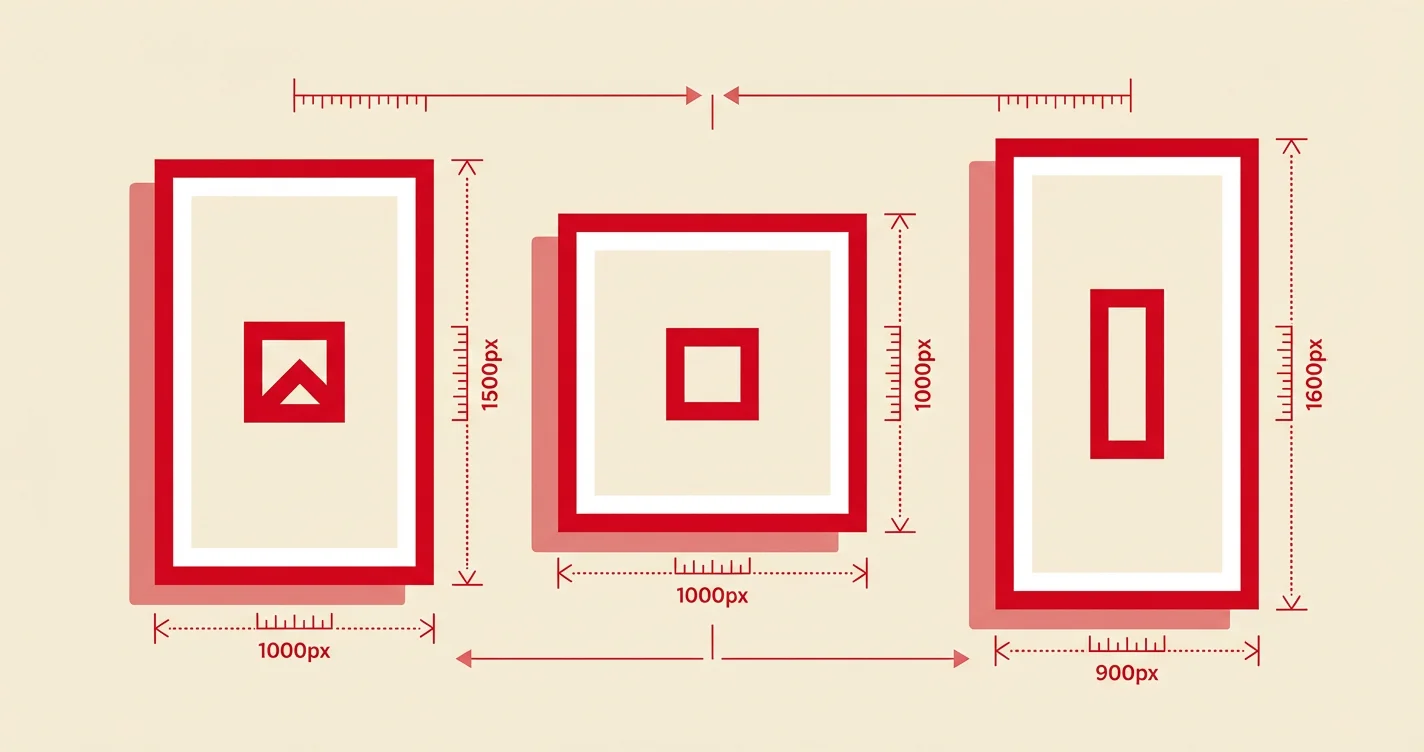
The ideal Pinterest pin size is 1000 x 1500 pixels with a 2:3 aspect ratio.
This is Pinterest's officially recommended size for standard image pins. The 2:3 ratio is the sweet spot—it takes up maximum screen real estate without getting truncated.
| Specification | Value |
|---|---|
| Recommended Size | 1000 x 1500 px |
| Aspect Ratio | 2:3 |
| Minimum Size | 600 x 900 px |
| File Types | .PNG or .JPEG |
| Max File Size | 20 MB (desktop), 32 MB (mobile) |
Why 2:3 Works Best
- Vertical images dominate mobile screens where most Pinterest browsing happens
- The full pin displays in the feed without cropping
- Pinterest's algorithm favors this ratio for distribution
- Consistent sizing creates a professional-looking profile
Pro Tip: Always use at least 1000 px width for sharp, clear images. Lower resolutions look pixelated on larger screens.
Square Pin Size
Square pins use a 1:1 aspect ratio at 1000 x 1000 pixels.
| Specification | Value |
|---|---|
| Recommended Size | 1000 x 1000 px |
| Aspect Ratio | 1:1 |
| File Types | .PNG or .JPEG |
Square pins work well when you're repurposing content from Instagram, but they take up less screen space in the feed. Use them sparingly—they're a good addition to your content mix but shouldn't be your primary pin format.
Long Pin Size
Long pins use a 1:2.1 aspect ratio at 1000 x 2100 pixels maximum.
| Specification | Value |
|---|---|
| Recommended Size | 1000 x 2100 px |
| Aspect Ratio | 1:2.1 |
| File Types | .PNG or .JPEG |
Anything longer than 1:2.1 will get truncated in the Pinterest feed. If you need to share longer content (like infographics), Pinterest will crop it and users will need to click to see the full image.
Important: Truncated pins require double the engagement to prove value to Pinterest's algorithm. If your pin gets cut off, center your most important text in the middle where it will still be visible.
Infographic Pin Size
Infographic pins use a 1:3 aspect ratio at 1000 x 3000 pixels.
| Specification | Value |
|---|---|
| Maximum Size | 1000 x 3000 px |
| Aspect Ratio | 1:3 |
| File Types | .PNG or .JPEG |
Pinterest doesn't officially recommend infographic pins because they get cut off in the feed. However, many creators report strong performance with infographics—if the content is valuable enough, users will click to see more.
Strategy: Break long infographics into multiple 2:3 ratio pins instead. This gives you more content pieces to share and ensures nothing gets cropped.
Video Pin Sizes
Video pins follow similar sizing rules to image pins, with additional specifications for length and file format.
Standard Video Pin
| Specification | Value |
|---|---|
| Recommended Size | 1000 x 1500 px |
| Aspect Ratio | 2:3 |
| File Types | .MP4, .MOV, .M4V |
| Max File Size | 2 GB |
| Video Length | 4 seconds – 15 minutes |
| Recommended Length | 6-15 seconds |
All Video Pin Aspect Ratios
| Video Type | Aspect Ratio | Dimensions |
|---|---|---|
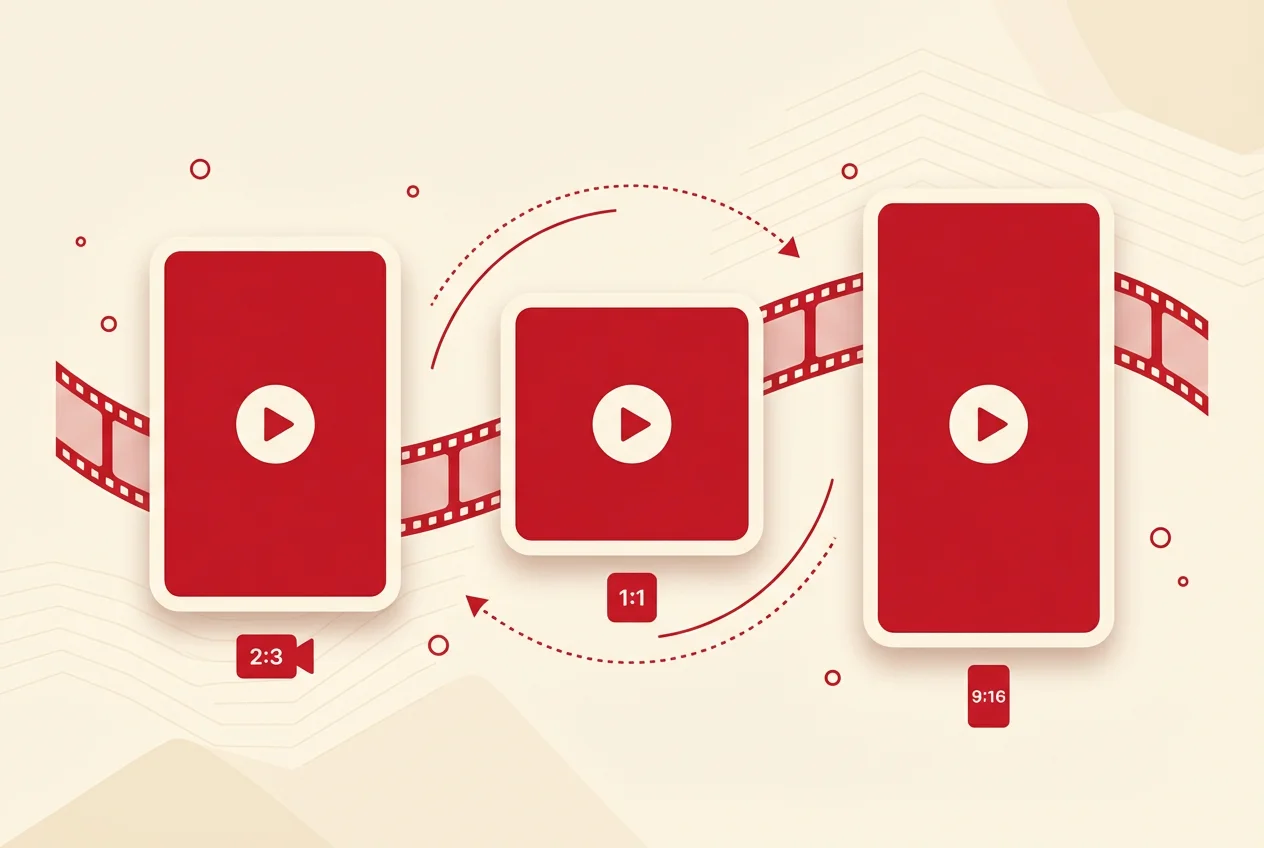
| Standard | 2:3 | 1000 x 1500 px |
| Square | 1:1 | 1000 x 1000 px |
| Vertical | 9:16 | 1080 x 1920 px |
| Portrait | 4:5 | 1080 x 1350 px |
| Long | 1:2 | 1000 x 2000 px |
Video Pin Best Practices
- Keep it short: 15-30 seconds for organic, 6-15 seconds for ads
- Design for silent viewing: Most users scroll with sound off
- Create a strong cover image: This is what users see before playing
- Front-load the message: Capture attention in the first 3 seconds
- Use text overlays: Communicate your message without requiring audio
Note: Horizontal/landscape videos are not recommended for Pinterest. The vertical feed format makes landscape videos appear small and easy to scroll past.
Story Pins (Idea Pins)
Story pins use a 9:16 aspect ratio at 1080 x 1920 pixels—the same as Instagram Stories.
| Specification | Value |
|---|---|
| Recommended Size | 1080 x 1920 px |
| Aspect Ratio | 9:16 |
| Image File Types | .PNG, .JPEG, .BMP, .WEBP, .TIFF |
| Video File Types | .MP4, .M4V, .MOV |
| Max File Size | 20 MB (images), 100 MB (video) |
| Video Length | Up to 60 seconds per page |
Safe Zones for Story Pins
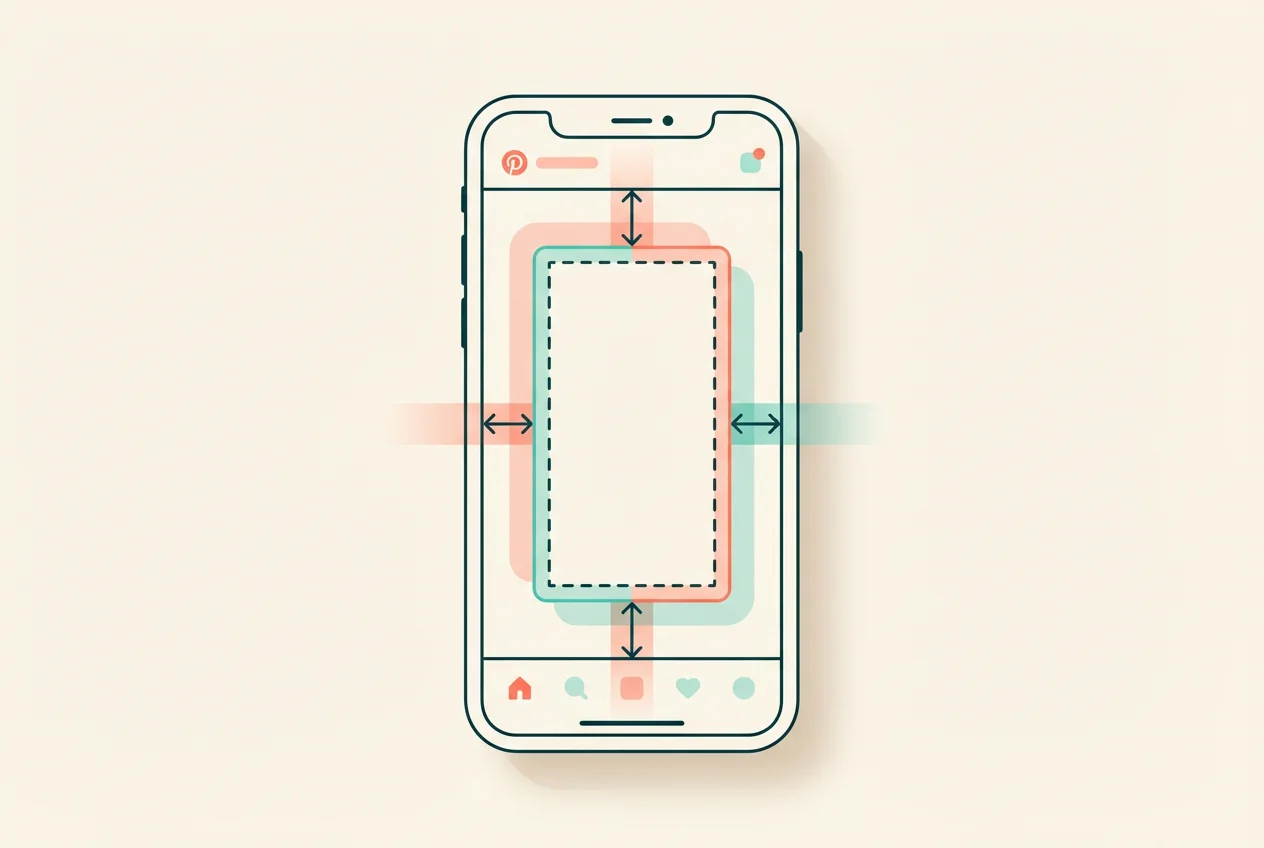
Pinterest overlays UI elements on story pins. Keep important content within these margins:
- Top: 270 px from edge
- Bottom: 440 px from edge
- Left: 65 px from edge
- Right: 195 px from edge
Anything outside these zones may be covered by buttons, titles, or other interface elements.
Carousel Pins
Carousel pins support both 2:3 and 1:1 aspect ratios.
| Specification | Value |
|---|---|
| Recommended Size | 1000 x 1500 px (2:3) or 1000 x 1000 px (1:1) |
| Aspect Ratio | 2:3 or 1:1 |
| File Types | .PNG or .JPEG |
| Number of Cards | 2-5 images |
All images in a carousel must use the same aspect ratio—you can't mix 2:3 and 1:1 in the same carousel.
When to Use Carousels:
- Showcase multiple product angles
- Tell a step-by-step story
- Display a collection or series
- Compare before/after results
Collection Pins
Collection pins display a hero image with smaller secondary images below.
Hero Image (First Image)
| Specification | Value |
|---|---|
| Recommended Size | 1000 x 1500 px |
| Aspect Ratio | 2:3 |
| File Types | .PNG or .JPEG |
Secondary Images
| Specification | Value |
|---|---|
| Recommended Size | 1000 x 1000 px |
| Aspect Ratio | 1:1 |
| Quantity | 3-24 images |
| File Types | .PNG or .JPEG |
Important: Use 1:1 (square) images for secondary creatives. Pinterest will auto-crop non-square images from the center, which can cut off important parts of your image.
Pinterest Profile & Board Sizes
Profile Picture
| Specification | Value |
|---|---|
| Recommended Size | 280 x 280 px |
| Display Size | 160 x 160 px |
| Aspect Ratio | 1:1 |
| File Types | .PNG or .JPEG |
Use a higher resolution than the display size (280 px instead of 160 px) for sharper quality on high-density screens.
Board Cover
| Specification | Value |
|---|---|
| Recommended Size | 600 x 600 px or 1000 x 1000 px |
| Aspect Ratio | 1:1 |
Board covers are selected from pins saved to that board. Higher resolution images display better on desktop.
Profile Cover (Banner)
| Specification | Value |
|---|---|
| Recommended Size | 800 x 450 px |
| Aspect Ratio | 16:9 |
| File Types | .PNG or .JPEG |
Pinterest Pin Size Chart
Here's a complete reference chart with all Pinterest image sizes:
| Pin Type | Aspect Ratio | Dimensions | File Types |
|---|---|---|---|
| Standard Pin | 2:3 | 1000 x 1500 px | PNG, JPEG |
| Square Pin | 1:1 | 1000 x 1000 px | PNG, JPEG |
| Long Pin | 1:2.1 | 1000 x 2100 px | PNG, JPEG |
| Infographic Pin | 1:3 | 1000 x 3000 px | PNG, JPEG |
| Video Pin (Standard) | 2:3 | 1000 x 1500 px | MP4, MOV, M4V |
| Video Pin (Square) | 1:1 | 1000 x 1000 px | MP4, MOV, M4V |
| Video Pin (Vertical) | 9:16 | 1080 x 1920 px | MP4, MOV, M4V |
| Story/Idea Pin | 9:16 | 1080 x 1920 px | PNG, JPEG, MP4 |
| Carousel Pin | 2:3 or 1:1 | 1000 x 1500 or 1000 x 1000 px | PNG, JPEG |
| Collection (Hero) | 2:3 | 1000 x 1500 px | PNG, JPEG |
| Collection (Secondary) | 1:1 | 1000 x 1000 px | PNG, JPEG |
| Profile Picture | 1:1 | 280 x 280 px | PNG, JPEG |
| Board Cover | 1:1 | 600 x 600 px | From saved pins |
| Profile Banner | 16:9 | 800 x 450 px | PNG, JPEG |
File Format & Quality Tips
PNG vs JPEG
- Use PNG for graphics, text overlays, logos, and images with transparency
- Use JPEG for photographs and complex images with many colors
Pinterest converts all images to 8-bit RGB JPEG format. Upload in PNG with sRGB color profile for best quality after conversion.
Compression
Pinterest compresses images automatically, but you can minimize quality loss:
- Start with high-resolution source images (at least 1000 px wide)
- Use sRGB color profiles
- Avoid heavy compression before upload
- Pinterest displays images at a maximum width of 735 pixels in the feed
Image Backgrounds
Pinterest adds a faint color overlay to pins with pure white or black backgrounds to distinguish them from the app background:
- White backgrounds: 4% black overlay in light mode
- Black backgrounds: 10% white overlay in dark mode
If exact color matching is important, avoid pure white (#FFFFFF) or pure black (#000000) backgrounds.
Pinterest Ads Sizing
Pinterest ads follow the same dimensions as organic pins. Key ad-specific specs:
| Ad Type | Aspect Ratio | Title Length | Description |
|---|---|---|---|
| Standard Image Ad | 2:3 | 100 characters (40 visible) | 800 characters |
| Standard Video Ad | 2:3, 1:1, 9:16 | 100 characters | 800 characters |
| Max Width Video Ad | 1:1 max height | 100 characters | 800 characters |
| Carousel Ad | 2:3 or 1:1 | 100 characters | 800 characters |
| Collection Ad | 2:3 (hero), 1:1 (secondary) | 100 characters | 800 characters |
Video Ad Length: 6-15 seconds recommended for best performance.
Common Pinterest Sizing Mistakes
1. Using Horizontal Images
Horizontal images waste valuable screen space on Pinterest's vertical feed. Always use vertical (2:3) or square (1:1) formats.
2. Forgetting Mobile Users
Over 80% of Pinterest traffic is mobile. Design for small screens first—use large, readable text and bold visuals.
3. Ignoring the 2:3 Ratio
While other ratios work, 2:3 is Pinterest's recommended standard. Sticking to this ratio ensures consistent display across all devices.
4. Low Resolution Images
Blurry or pixelated images look unprofessional and get skipped. Always use at least 1000 px width.
5. Cramming Text Into Truncated Areas
If your pin might get cropped, keep essential text in the center two-thirds of the image.
Tools for Creating Pinterest Pins
Several tools make it easy to create correctly-sized Pinterest images:
- Canva – Free templates in all Pinterest sizes
- Adobe Express – Pinterest-specific presets
- Tailwind Create – Auto-generates pins in correct dimensions
- Visme – Templates with exact Pinterest sizing
Most design tools now include Pinterest templates with the correct dimensions built in.
Conclusion
Getting Pinterest pin sizes right is foundational to Pinterest success. The most important thing to remember: stick to the 2:3 aspect ratio (1000 x 1500 px) for standard pins. This is Pinterest's officially recommended size and works best across all devices.
For video, match your content to the format—use 2:3 for standard videos, 9:16 for story-style vertical content. And always upload high-resolution images to ensure your pins look sharp after Pinterest's automatic compression.
Bookmark this guide and reference it whenever you're creating new Pinterest content. Consistent sizing across your pins creates a polished, professional profile that attracts followers and drives clicks.
Frequently Asked Questions
What is the best Pinterest pin size? The best Pinterest pin size is 1000 x 1500 pixels with a 2:3 aspect ratio. This is Pinterest's officially recommended dimension for standard image pins. Pins at this size display fully in the feed without cropping and perform best with Pinterest's algorithm.
What happens if my pin is the wrong size? Pins larger than 2:3 ratio get truncated (cropped) in the Pinterest feed. Users only see a portion of your image until they click. Pinterest has stated that incorrectly sized pins "may negatively impact performance," meaning they're less likely to be distributed widely.
Can I use square images on Pinterest? Yes, square images (1:1 ratio at 1000 x 1000 px) work on Pinterest. They're useful for repurposing Instagram content. However, square pins take up less screen space than vertical pins, so they may get less attention in the feed. Use them as part of your content mix, not as your primary format.
What size are Pinterest video pins? Pinterest video pins work best at 1000 x 1500 px (2:3 ratio) for standard videos, or 1080 x 1920 px (9:16) for vertical/story-style videos. Square (1:1) and portrait (4:5) ratios also work. Videos can be up to 2 GB and 15 minutes long, though 6-15 seconds is recommended for ads.
What's the difference between PNG and JPEG for Pinterest? Use PNG for graphics with text, logos, or transparency. Use JPEG for photographs. Pinterest converts all images to JPEG anyway, but uploading as PNG with sRGB color profile preserves the best quality during conversion.
How do I size pins for Pinterest ads? Pinterest ads use the same dimensions as organic pins. Standard image ads should be 1000 x 1500 px (2:3 ratio). The main difference is character limits: titles can be up to 100 characters (40 visible in feed) and descriptions up to 800 characters.
What size should my Pinterest profile picture be? Your Pinterest profile picture should be 280 x 280 pixels (1:1 square ratio). It displays at 160 x 160 px, but uploading at higher resolution ensures it looks sharp on high-density screens.
Last Updated: January 30, 2026
Category: Pinterest Tips
Reading Time: 8 minutes